 OSign
OSign
Sign IPAs and manage certificates locally
Pick a package, choose a local certificate, and sign in one click. A desktop client for authorized testing on Windows and macOS.
Features
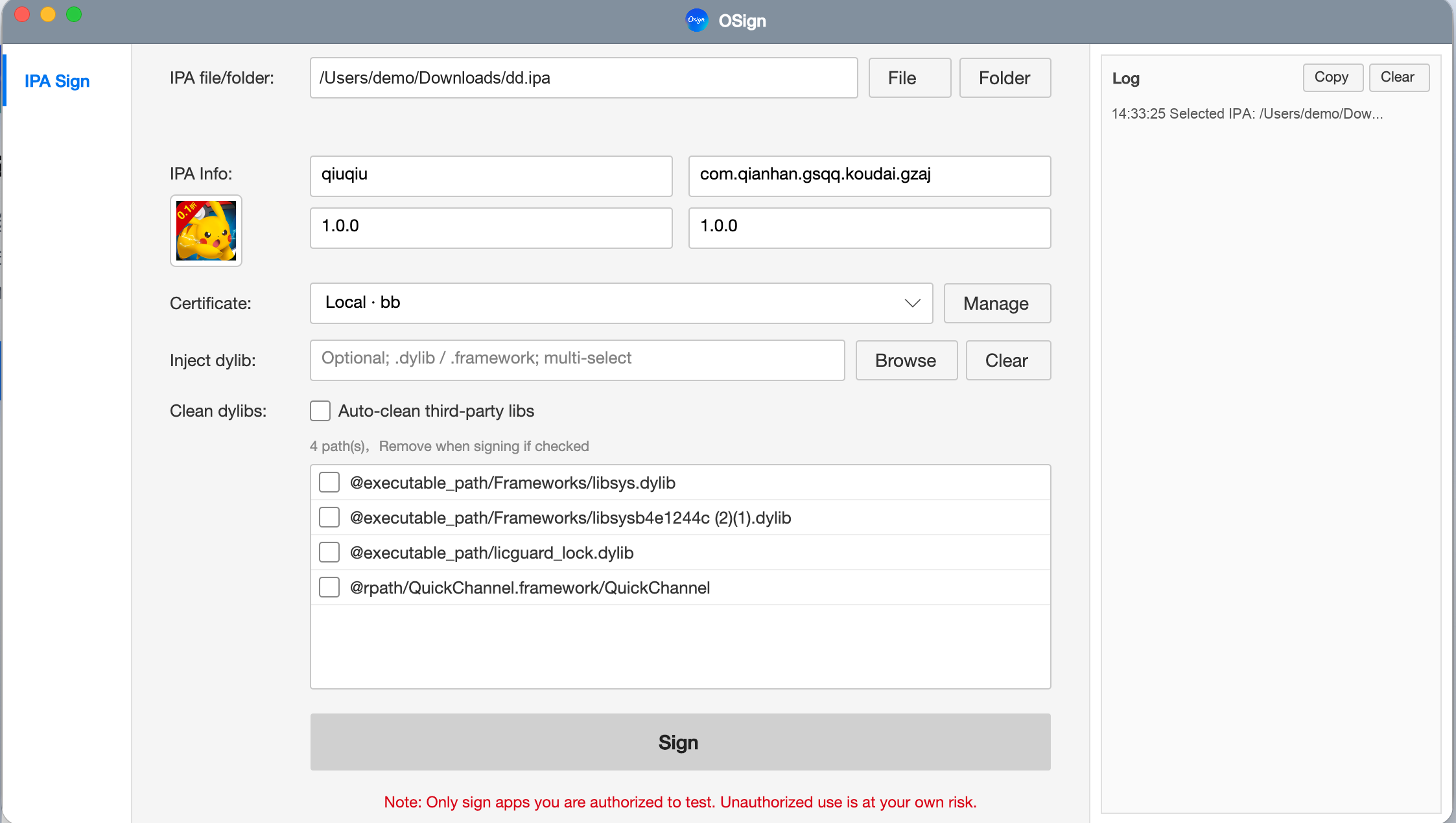
A full local signing flow from pick to output — no account login or device binding.
-
Local IPA signing
Sign a single IPA or batch-sign a folder for multi-package testing.
-
Certificate manage & check
Add local P12 and provisioning profiles; validate expiry, revocation, and cert match.
-
App identity editing
Edit app name, BundleID, Version, and Build, with icon preview.
-
Dylib inject & clean
Optionally inject .dylib / .framework and auto-clean third-party locks.
-
Cross-platform clients
Windows and macOS builds; Mac supports both Intel and Apple Silicon.
Interface
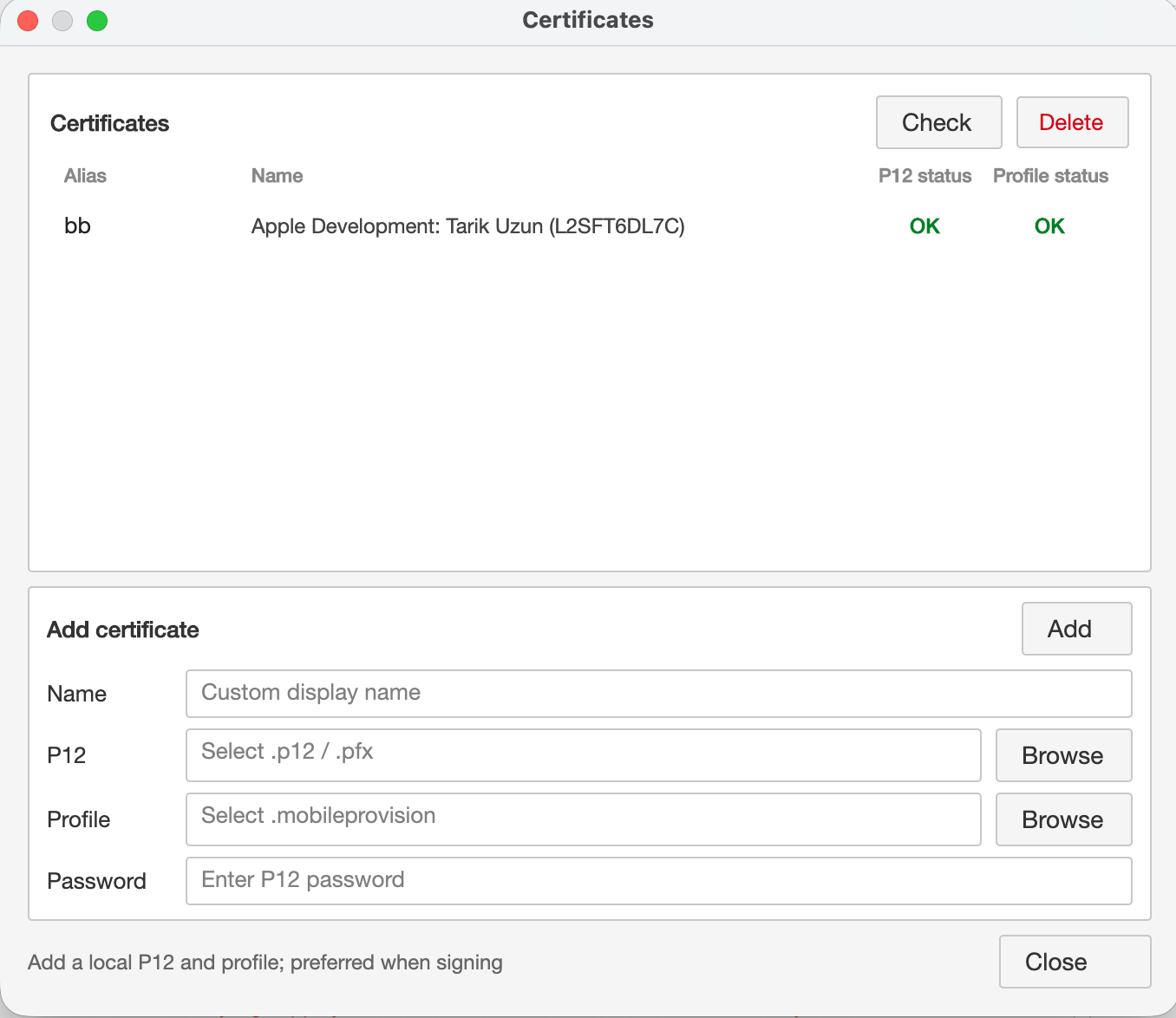
Certificate manager and check results — clear end to end.
Certificates
Manage local certificates: add P12 and provisioning profiles, then check status anytime.
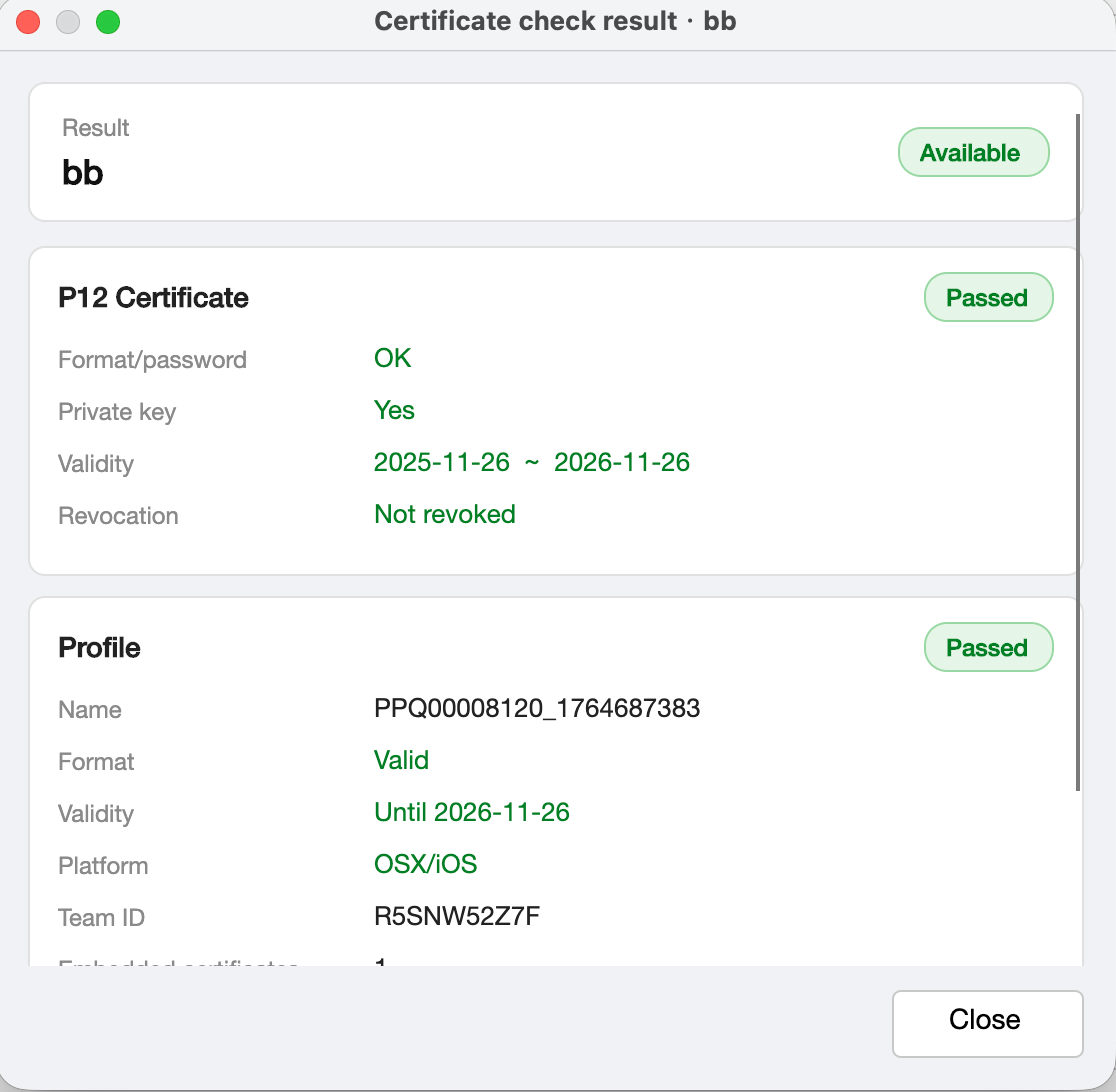
Certificate check result
Review P12 and Profile format, validity, revocation, and match checks with full labels.
Download OSign
Choose your platform. On Mac, pick Intel or Apple Silicon for your chip.